Meetily: The Free, Open Source AI Meeting Assistant That Runs 100% Locally (2026 Guide)
Meetily is a free, open source, privacy-first meeting assistant that transcribes and summarizes calls locally on your machine. No cloud, no bots joining your calls, no monthly fees.
AI meeting assistants like Otter.ai and Fireflies are useful, but they come with a privacy cost. They send a visible bot into your call, upload your audio to their cloud servers, and store your conversations on their infrastructure. For professionals discussing confidential information under HIPAA, GDPR, or SOC2 compliance, that is a dealbreaker. On top of that, they charge $15 to $30 per month for the privilege.
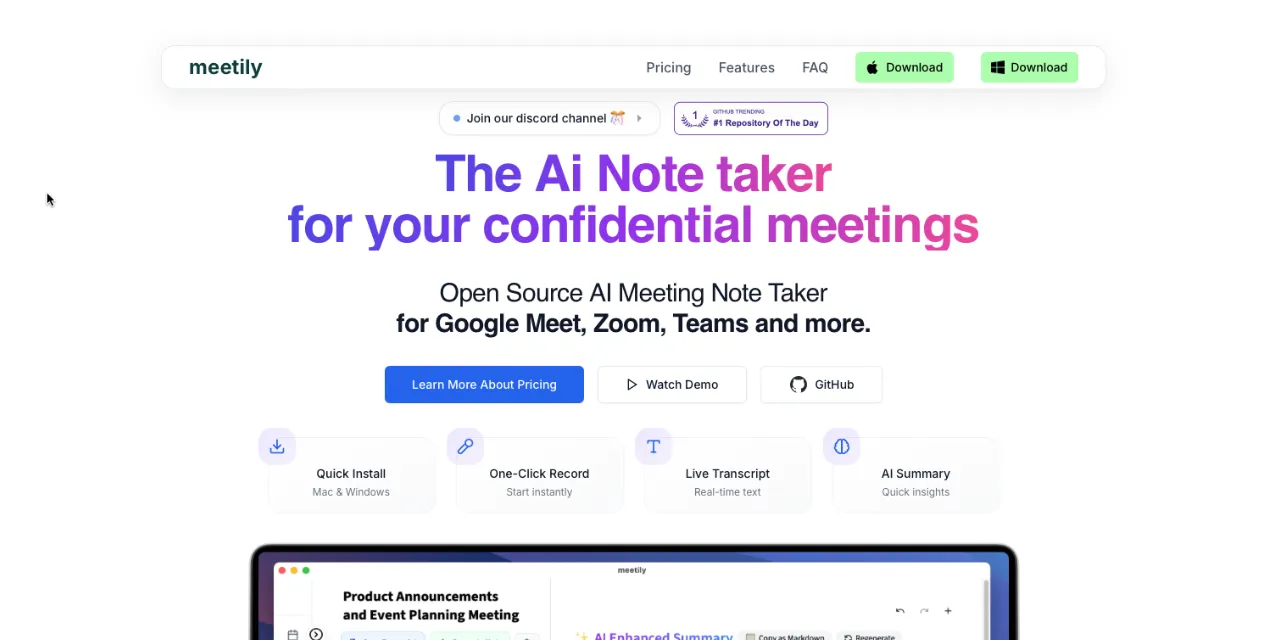
Meetily, built by Zackriya Solutions, is a free, open source, privacy-first AI meeting assistant that runs 100% locally on your machine. It captures system audio directly (no bot joining your call), transcribes conversations in real time using local models like Whisper and Parakeet, and generates summaries and action items without sending a single byte of audio to the cloud.
In this guide, you'll learn what Meetily is, who it's for, and how to set it up on your Mac or Windows machine in under five minutes.
What is Meetily?
Meetily is a privacy-first, open source AI meeting assistant designed to replace invasive cloud-based note-takers. Instead of inviting a creepy bot to record your Zoom or Google Meet calls on third-party servers, Meetily runs 100% locally on your machine. It captures system audio directly and utilizes high-speed local AI models (like Whisper and Parakeet) to transcribe conversations in real time.
Once the meeting concludes, Meetily generates professional summaries, extracts action items, and organizes your notes. Because it leverages the power of local inference via frameworks like Ollama, your sensitive audio data and proprietary business discussions never leave your hard drive. It is the ultimate tool for achieving high-tech meeting productivity while maintaining absolute data sovereignty.
Who is it for?
- Enterprise and legal professionals: Users who discuss highly confidential information (HIPAA, GDPR, SOC2 compliance) and cannot legally upload recordings to cloud AI providers.
- Privacy advocates: Individuals who refuse to let commercial entities train their LLMs on personal conversations and brainstorming sessions.
- Remote teams and freelancers: Workers seeking a free, high-quality alternative to expensive monthly subscriptions like Otter.ai or Fireflies.
- Open source developers: Tinkerers who want to self-host their tools and have the flexibility to connect custom language models for summarization.
What makes Meetily different from cloud meeting assistants?
- 100% local processing: Transcription and audio recording happen entirely on your device. Zero data is sent to external servers unless you explicitly choose a cloud API for summaries.
- Bot-free capture: Captures system audio natively. No embarrassing "Meetily Bot has joined the call" pop-ups to distract your clients or colleagues.
- Pluggable AI summaries: Offers complete flexibility. You can generate summaries completely offline using Ollama, or securely plug in your own API keys for Claude, OpenAI, or Groq (bring your own key).
- Cross-platform compatibility: Ships with native desktop applications for macOS and Windows, integrating seamlessly with Zoom, Teams, Google Meet, and Discord.
- Free and open source: The entire application is free and open source. No monthly subscription, no per-meeting fees, no cloud dependency. Use your own hardware for free transcription and summarization.
What you need before you start
- Operating system: macOS (Apple Silicon recommended) or Windows 10/11. Linux support is available via source build.
- Hardware: Minimum 8 GB RAM. For local summarization using Ollama, an M-series Mac or a dedicated Nvidia GPU with at least 8 GB VRAM is highly recommended.
- Software: Optional but recommended: Ollama installed on your machine if you want to run the post-meeting summarization 100% offline.
Step-by-step installation
Step 1: Download the application
Head over to the official GitHub repository releases page or the Meetily website to grab the native installer for your operating system.
- macOS: Download the
.dmgfile, open it, and drag the Meetily icon into your Applications folder. - Windows: Download the
.exeinstaller and run the standard setup wizard.
Step 2: Grant system permissions
Upon launching Meetily for the first time, the application will request necessary permissions to function correctly. You must grant it access to your Microphone (to hear you) and System Audio (to hear the other participants on the call).
Step 3: Configure transcription models
By default, Meetily will download a lightweight, highly optimized transcription model (like Whisper or Parakeet) to your local drive. This initial download requires an internet connection, but once complete, transcription works entirely offline.
Step 4: Choose your summary provider
Navigate to the Settings menu to configure how you want your meetings summarized:
- For total privacy (local): Select "Ollama" from the provider list. Ensure Ollama is running on your machine with a model like
llama3orqwenpulled. - For maximum speed and intelligence (cloud): If you prefer better reasoning, select OpenAI or Anthropic and paste your API key. Note: only the text transcript is sent, the audio file remains local.
Step 5: Start your first meeting
Join your Zoom or Google Meet call. Open the Meetily app and click Record. The app will quietly capture the audio and transcribe the conversation in real time. When the call ends, simply click stop to automatically generate your summary and action items.
Common errors and how to fix them
| Error | What it means | How to fix it |
|---|---|---|
| No audio detected / missing participant voices | Meetily is capturing your microphone but failing to capture the desktop audio from the meeting software. | On macOS, ensure you have granted Meetily "Screen Recording" or "System Audio Capture" permissions in System Settings > Privacy and Security. |
| Summarization fails (Ollama connection error) | Meetily cannot communicate with your local Ollama instance to generate the summary. | Ensure the Ollama application is running in the background and that you have pulled the required model by running ollama run llama3 in your terminal. |
| Transcription is excessively slow | Your computer's CPU is struggling to process the Whisper model in real time. | Go into the settings and select a smaller, more optimized model (like "Whisper Base" or "Parakeet") which requires significantly less computational power. |
Meetily vs commercial meeting assistants
| Feature | Meetily (community edition) | Commercial SaaS (Otter.ai, Fireflies) |
|---|---|---|
| Pricing | 100% free | $15 to $30 per month |
| Data privacy | Absolute (files remain on your hard drive) | Audio is stored and analyzed on corporate servers |
| Meeting capture method | Invisible native system audio capture | A visible bot must join your calendar invite |
| Offline capability | Fully operational without Wi-Fi | Requires constant internet connection |
| Best for | Privacy-conscious professionals and teams | Teams who want zero setup and cloud collaboration |
Bottom line: Meetily is the definitive meeting assistant for professionals who value privacy. By running powerful speech-to-text models directly on your hardware, it provides all the productivity benefits of cloud-based AI note-takers without forcing you to hand over your sensitive conversations to a third party. If you're paying for Otter.ai or Fireflies and want to cut costs while gaining complete data sovereignty, Meetily is the best free open source option available.
3 alternatives worth checking out
- OpenWhispr (openwhispr.com): Another excellent open-source, local-first meeting assistant. While Meetily is laser-focused on minimalist recording and summaries, OpenWhispr expands the scope by offering calendar integration, advanced local speaker diarization, and system-wide voice dictation into any app.
- Granola (granola.so): A highly polished, privacy-conscious commercial alternative. Granola also avoids using invasive bots by capturing audio directly from your Mac, but it operates as a paid SaaS product rather than a fully open-source, self-hostable solution.
- Otter.ai (otter.ai): The enterprise standard for meeting transcription. If your team relies heavily on collaborative editing, deep integrations with Salesforce, and cloud-synced transcripts across multiple devices, and privacy is less of a concern, Otter remains the market leader.
Found this guide useful? Check out more AI tools and free alternatives on Sudo Scout.
Related posts
Prime Agent: The Self-Improving AI Coding Agent With Persistent IPython and Built-In Subagents (2026 Guide)
Prime Agent is a free, open source self-improving RLM agent for coding and long-running autonomous tasks. Persistent IPython, built-in subagents, continual harness refinement, daemon-backed sessions. 15.8K stars.
NVIDIA Switchyard: Route LLM Traffic Across Models and Providers Without Changing Your API (2026 Guide)
NVIDIA Switchyard is a free, open source Rust proxy that routes LLM requests across providers. Translates between OpenAI and Anthropic APIs, supports Claude Code and Codex, A/B benchmarking, cost optimization. Apache 2.0.
Needle 2: The 14MB AI Model That Runs on Phones, Wearables, and Smart Home Devices (2026 Guide)
Needle 2 is a free, open source 45M-parameter foundation model for tool calling on tiny devices. 14MB binary, 28MB RAM, runs fully offline. LoRA fine-tuning, confidence gating, structured extraction. 5.4K stars.