Osaurus: The Free, Open Source AI Agent Harness Built Natively for macOS (2026 Guide)
Osaurus is a free, open source macOS AI harness built in Swift for Apple Silicon. Run local models, route to cloud APIs, and build autonomous agents with persistent memory. No subscription.
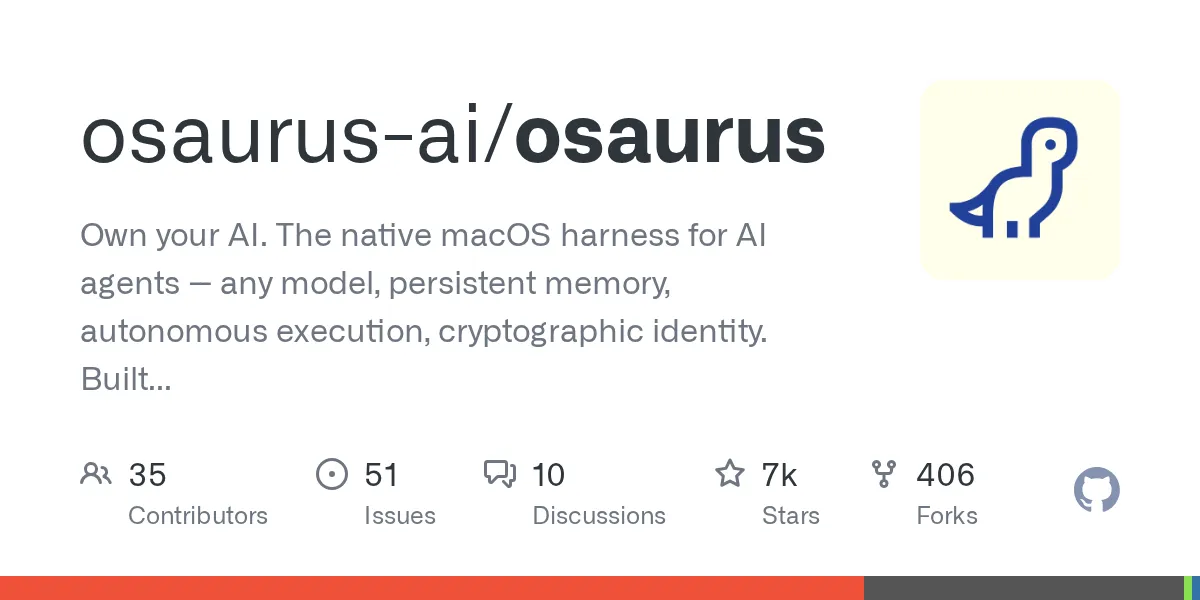
AI desktop apps force you into a bad choice. Either run a simple local model in isolation with no memory, or surrender your data, context, and files to a hosted cloud workspace like ChatGPT Desktop or Claude Desktop. For macOS users who want autonomous agents with persistent memory, background automation, and the freedom to switch between local silicon and cloud APIs, there has been no good option.
Osaurus is a free, open source AI harness built natively for macOS in Swift. It sits in your menu bar, runs local LLMs on Apple Silicon using the MLX framework, exposes a unified API gateway that speaks OpenAI, Anthropic, and Ollama protocols, and gives your agents persistent memory, scoped folder access, and background automation capabilities. No subscription, no cloud dependency, no Electron bloat.
In this guide, you'll learn what Osaurus is, who it's for, and how to set it up on your Mac in under five minutes.
What is Osaurus?
At its core, Osaurus is a native macOS runtime and unified gateway designed to make AI agents truly personal, persistent, and portable. Traditional AI desktop applications force you to choose: either run a simple local model tester in isolation or surrender your data, memory, and context to a hosted cloud workspace. Osaurus completely flips this relationship by decoupling the AI model from the operating context.
Weighing in at a featherlight 10 to 15 MB footprint, Osaurus lives unobtrusively in your Mac menu bar. It executes open source LLMs natively on your Apple Silicon chip using Apple's optimized MLX framework (or connecting to local Ollama and LM Studio servers), guaranteeing complete offline capability and data privacy. At the same time, it exposes a unified local HTTP gateway that speaks standard OpenAI, Anthropic, and Ollama API protocols. This means your external coding assistants (like Cursor or Claude Code), custom scripts, and internal automation tools can connect directly to Osaurus, inheriting one shared persistent memory, scoped working directories, and seamless routing between local silicon and cloud endpoints whenever a heavy task demands it.
Who is it for?
- macOS software engineers and developers: Teams using modern coding agents who want a single, local API gateway that retains persistent memory across projects and routes simple tasks to free local silicon while reserving cloud APIs for complex architecture problems.
- Privacy-conscious founders and operators: Professionals handling proprietary codebases, sensitive customer data, financial models, or legal contracts who need autonomous file processing and summarization without sending internal data to third-party vendor servers.
- Power users and Mac automators: Enthusiasts looking to build backgrounded macOS automations, set up scheduled folder watchers, or control desktop apps via native accessibility bridges without disrupting their active foreground workspace.
- AI hobbyists and model tinkerers: Mac users who want to experiment with open source models (like Llama, Qwen, Gemma, or Mistral) natively on M-series chips without the overhead of Docker containers or cross-platform Electron bloat.
What makes Osaurus different from ChatGPT Desktop or Claude Desktop?
- Native Swift and Apple Silicon optimization: Built specifically for macOS 15+ using native Swift and Apple's MLX framework, Osaurus delivers lightning-fast inference on M-series chips with minimal battery drain and zero cross-platform bloat.
- Unified API gateway: Exposes a local server port that speaks standard OpenAI, Anthropic, and Ollama API structures simultaneously. You can point any third-party app or LangChain script to localhost and immediately gain model-agnostic routing.
- Persistent agent memory and scoped folders: Agents built in Osaurus don't suffer from amnesia after closing a tab. They maintain continuous memory locally on your disk, can be granted read/write permissions to specific project folders, and can execute autonomous tasks while you sleep.
- Extensible C/Swift ABI plugin ecosystem: Features a robust tool architecture supporting modular plugins like
osaurus.vision(macOS Vision OCR, face blur, background removal),osaurus.browser(headless WebKit with persistent cookies), andosaurus-macos-use(backgrounded desktop app driving via SkyLight and CoreGraphics). - Background-by-default Mac driving: Unlike brittle macro recorders that hijack your mouse, Osaurus's automation tools can drive Mac applications natively in the background. Your physical cursor never moves, focus never shifts, and virtual Spaces never flip.
- Free and open source: The entire project is free and open source under the MIT license. No subscription, no telemetry, no vendor lock-in. Use your Mac's hardware for free inference, or pay direct API token costs for cloud fallback with zero markup.
What you need before you start
Because Osaurus is tailored specifically for the Apple ecosystem and advanced macOS APIs, your system must meet these foundational benchmarks:
- Hardware: An Apple Silicon Mac (M1, M2, M3, or M4 series chip). Intel Macs are not officially supported for native MLX acceleration.
- Operating system: macOS 15.0 (Sequoia) or later. Certain advanced vision plugins and background automation routines require macOS 15.5+.
- Unified memory (RAM): Minimum 8 GB unified memory for basic chat and small 2B to 3B models. For running 8B+ local models alongside background automations, 16 GB or 32 GB+ of unified memory is strongly recommended.
- Storage: At least 500 MB of free disk space for the core application and tool bundles, plus additional storage (2 GB to 20+ GB) depending on the local GGUF/MLX model weights you choose to download.
- System permissions: You will need administrator access to grant macOS Accessibility and Screen Recording permissions if you intend to use the background desktop automation plugins.
Step-by-step installation
Step 1: Download and install the native app
Navigate to the official website at osaurus.ai or the GitHub Releases page and download the latest compiled macOS disk image (.dmg). Once downloaded, open the installer and drag the Osaurus application icon into your Mac's Applications folder.
# Alternatively, build from source:
git clone https://github.com/osaurus-ai/osaurus.git
cd osaurus
# Launch directly from Applications once installed
open /Applications/Osaurus.app
Step 2: Configure local inference and cloud fallback
Launch Osaurus from your Applications folder or menu bar. Click the dinosaur icon in your macOS menu bar and open Settings. Under the Models tab, you have two primary options to initialize your intelligence layer:
- Local models: Click "Add Model" to download optimized Apple Silicon weights directly (like Qwen or Llama via MLX), or auto-connect to an already running Ollama or LM Studio instance on your machine.
- Cloud fallback: Navigate to the Providers tab and paste your API keys for OpenAI, Anthropic, Gemini, or OpenRouter. This allows your local agents to seamlessly escalate complex reasoning tasks to cloud frontier models without leaving the Osaurus harness.
Step 3: Install official tool plugins via CLI
To give your AI agents hands and eyes, install official utility tools from the Osaurus tools registry. Open your macOS Terminal application and use the bundled command-line tool to pull verified plugin archives:
# Install essential utility tools
osaurus tools install osaurus.time
osaurus tools install osaurus.fetch
osaurus tools install osaurus.browser

# Optional: install the native macOS Vision OCR and background removal plugin
osaurus tools install osaurus.vision
Step 4: Create your first autonomous agent
Open the Osaurus dashboard window and navigate to the Agents section. Click + New Agent to configure your automated assistant:
Name: Codebase Refactor and Documentation Lead
Model: Anthropic Claude 3.5 Sonnet (or local Qwen-2.5-Coder-32B)
Working Folder: /Users/username/Projects/my-app
Enabled Tools: osaurus.fetch, osaurus.browser, file_system_read_write
Persistent Memory: Toggle ON (enables cross-session recall)
Step 5: Connect external IDEs to the unified API gateway
Because Osaurus acts as a universal local server, you can instantly route external coding environments through it to leverage its unified memory and model switching. Ensure the local gateway is running (defaulting to port 8080 or 11434), then update your external IDE settings:
# In Cursor, Claude Code, or LangChain scripts, set your Base URL:
export OPENAI_BASE_URL="http://127.0.0.1:8080/v1"
export OPENAI_API_KEY="sk-osaurus-local-session"

# Test the gateway from terminal:
curl http://127.0.0.1:8080/v1/models
Common errors and how to fix them
| Error | What it means | How to fix it |
|---|---|---|
| Gatekeeper blocked: "Osaurus can't be opened" or unsigned plugin blocked | macOS Gatekeeper prevents newly downloaded .dmg files or unsigned third-party .dylib plugins from executing without explicit user approval. |
Open System Settings > Privacy and Security and click "Open Anyway" under Security, or run xattr -cr /Applications/Osaurus.app in your terminal to strip the download quarantine flag. |
| Accessibility permission denied (AXPress / SkyLight failed) | An automated agent or background driving plugin (like osaurus-macos-use) is attempting to manipulate GUI windows without OS authorization. |
Navigate to System Settings > Privacy and Security > Accessibility and toggle the permission switch ON for Osaurus (and your terminal application if running via CLI). |
| Port 8080 (or 11434) address already in use | Osaurus's unified API gateway is attempting to bind to a local network port that is already occupied by another running service (like a standalone Ollama or Docker daemon). | Open Osaurus Preferences under the API Gateway tab and change the listening port to an alternative (for example, 8088 or 8642), or terminate the conflicting background process. |
| Model failed to load / Out of unified memory (OOM) | Your Apple Silicon Mac lacks sufficient free RAM/VRAM to load the selected MLX neural network weights alongside your active desktop applications. | Switch to a smaller or more aggressively quantized model (for example, 4-bit Q4_K_M instead of 8-bit or FP16 weights), close memory-heavy desktop apps, or route that specific heavy task to a cloud API. |
| "zsh: command not found: osaurus" | The Osaurus CLI binary was not automatically symlinked to your shell's PATH during the GUI installation process. | Create a symlink manually by running: sudo ln -s /Applications/Osaurus.app/Contents/MacOS/osaurus /usr/local/bin/osaurus in your terminal. |
Osaurus vs commercial AI desktop apps
| Feature | Osaurus (free and open source MIT) | Commercial AI workspaces (ChatGPT Desktop, Claude Desktop) |
|---|---|---|
| Data privacy and sovereignty | 100% local-first. Your files, memory, and code stay on your Mac. Cloud routing occurs only when explicitly triggered. | All inputs, context, and documents are transmitted to proprietary cloud servers for processing and potential retention. |
| Model interoperability | Truly model-agnostic. Freely switch between local MLX/Ollama models and cloud APIs (Anthropic, OpenAI, Gemini) under one shared memory. | Strictly locked into the vendor's proprietary AI models and ecosystem. |
| Agent automation and tooling | Native macOS integration. Features local folder watcher, schedules, persistent memory, and background GUI automation via plugins. | Limited to web searches, basic file analysis, or vendor-approved sandbox plugins. No native background desktop driving. |
| Cost structure | $0 software fee forever (MIT license). Use your own Mac's hardware for free inference, or pay direct, zero-markup API token costs for cloud fallback. | Fixed monthly subscription tiers ($20 to $100+/month per user) with strict rate limits and usage caps. |
| System resource footprint | Native Swift build specifically optimized for Apple Silicon (10 to 15 MB app size, minimal background CPU overhead). | Often built on heavy web-wrappers or Electron frameworks (hundreds of megabytes, higher baseline RAM usage). |
| Best for | Mac developers who want full control and local AI | Non-technical users who want zero setup |
Bottom line: Osaurus puts the AI agent stack back where it belongs: on your Mac. By treating local silicon as a powerful operating layer rather than just an offline chatbot, it gives developers and power users total control over their data, persistent memory, and model costs without sacrificing access to cloud frontier capabilities. If you're a macOS user who wants autonomous AI agents without a monthly subscription, Osaurus is the best open source option available.
3 alternatives worth checking out
- MindMac (mindmac.app): A feature-rich, native macOS AI chat client built in Swift that supports both local models (via Ollama or Llama.cpp) and dozens of cloud API providers. While it offers a highly polished graphical interface for organizing prompts, formatting code, and managing chat histories, it focuses primarily on multi-model conversation rather than serving as an autonomous agent harness with persistent memory or background desktop automation.
- LM Studio (lmstudio.ai): A premier desktop application for discovering, downloading, and running open source GGUF and MLX models locally on your Mac, Windows, or Linux machine. It provides an intuitive, user-friendly GUI and an integrated OpenAI-compatible local server. However, unlike Osaurus, it does not act as an agentic operating layer with persistent memory across cloud providers, scheduled automation routines, or native macOS Vision and web browsing tools.
- Msty (msty.app): A powerful offline-first AI workspace for macOS and Windows that seamlessly combines local model execution with cloud APIs, prompt libraries, and local document chatting (RAG). While Msty excels at personal knowledge management and side-by-side model comparisons, Osaurus differentiates itself as a developer-first AI harness designed to power autonomous agents, CLI workflows, and third-party coding tools via its unified API gateway.
Found this guide useful? Check out more AI tools and open source projects on Sudo Scout.
Related posts
Prime Agent: The Self-Improving AI Coding Agent With Persistent IPython and Built-In Subagents (2026 Guide)
Prime Agent is a free, open source self-improving RLM agent for coding and long-running autonomous tasks. Persistent IPython, built-in subagents, continual harness refinement, daemon-backed sessions. 15.8K stars.
NVIDIA Switchyard: Route LLM Traffic Across Models and Providers Without Changing Your API (2026 Guide)
NVIDIA Switchyard is a free, open source Rust proxy that routes LLM requests across providers. Translates between OpenAI and Anthropic APIs, supports Claude Code and Codex, A/B benchmarking, cost optimization. Apache 2.0.
Needle 2: The 14MB AI Model That Runs on Phones, Wearables, and Smart Home Devices (2026 Guide)
Needle 2 is a free, open source 45M-parameter foundation model for tool calling on tiny devices. 14MB binary, 28MB RAM, runs fully offline. LoRA fine-tuning, confidence gating, structured extraction. 5.4K stars.