ShortGPT: Automate YouTube Shorts and TikToks With This Free Open Source AI Tool (2026 Guide)
ShortGPT is a free, open source AI framework that automates short-form video creation. Generate YouTube Shorts, TikToks, and Reels from a single prompt with AI scripts, voiceovers, and captions.
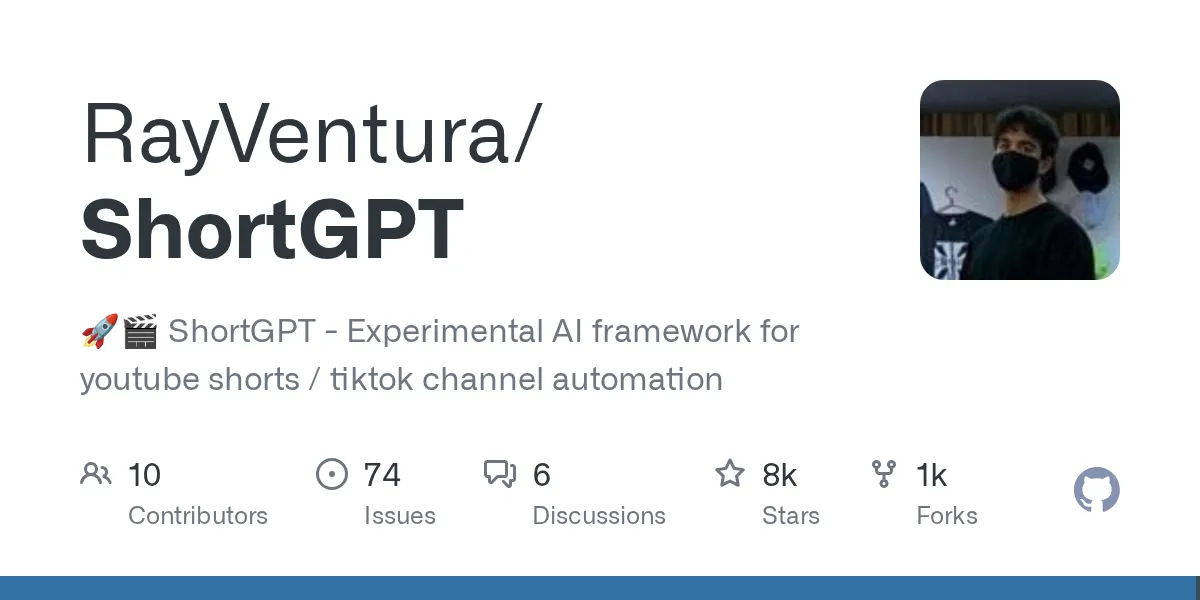
Creating short-form videos the traditional way is slow. You write a script, record a voiceover, hunt for background clips, sync captions, and render. For faceless YouTube Shorts, TikToks, and Instagram Reels creators, this process eats hours per video. Commercial tools like Invideo AI charge $20 to $50 per month to automate it, and they watermark your output unless you pay more.
ShortGPT is a free, open source alternative. Give it a topic, and it writes the script, generates a voiceover, scrapes background footage, burns in captions, and renders a ready-to-upload MP4. No subscription. No watermarks. No per-video fees. Just your own API usage for the AI parts.
In this guide, you'll learn what ShortGPT is, who it's for, and how to install and run it from scratch.
What is ShortGPT?
Developed by RayVentura, ShortGPT is an open source AI framework that completely automates the creation of short-form video content. Instead of manually writing scripts, recording voiceovers, finding B-roll, and syncing captions in a traditional editor like Premiere Pro, ShortGPT handles the entire pipeline autonomously.
You provide a simple topic or prompt. ShortGPT uses a large language model to write a compelling script, synthesizes a realistic voiceover, automatically scrapes relevant background assets from the web (like Pexels or YouTube), and stitches it all together using FFmpeg and MoviePy. The result is a fully rendered, ready-to-upload MP4 file with dynamic, burned-in captions, all orchestrated from a clean Gradio web interface.
Because it's open source, you can audit the code, modify the pipeline, and run it on your own hardware. No vendor lock-in, no usage limits imposed by a cloud platform.
Who is it for?
- Faceless channel creators: YouTubers and TikTokers looking to mass-produce niche content (trivia, history facts, motivational quotes) without showing their face or hiring editors.
- Marketing teams: Agencies that need to rapidly generate and test dozens of short-form video ads across multiple social media platforms without paying per-render fees.
- AI hobbyists and developers: People interested in experimenting with LLM-driven video editing pipelines and multimodal AI workflows.
- Content localizers: Creators who want to take an existing video, extract the audio, translate it, and automatically dub it into over 30 different languages using AI voice synthesis.
What makes ShortGPT different from commercial video generators?
- LLM-oriented editing engine: Uses a unique JSON-based markup language that lets AI models intuitively understand and manipulate video timelines, cuts, and asset placement. This is not just a wrapper around an API; it's a purpose-built framework.
- Automated asset sourcing: Built-in web scraping modules automatically search and download royalty-free background videos and images that contextually match your script. No manual clip hunting.
- Multilingual voice synthesis: Integrates natively with high-end voice APIs like ElevenLabs, as well as completely free alternatives like EdgeTTS, to produce natural-sounding voiceovers in dozens of languages.
- Video translation pipeline: Features a dedicated pipeline that takes a source video link, transcribes it, translates the script, dubs it with AI voice synthesis, and renders a new localized video automatically.
- Zero watermarks, zero subscriptions: Unlike Invideo AI and Opus Clip, ShortGPT adds no watermarks to your output and charges no monthly fee. You only pay for the AI API calls you actually use (OpenAI for scripts, optionally ElevenLabs for premium voices).
What you need before you start
- Operating system: Windows, macOS, or Linux. You can also run it entirely in the cloud via Google Colab if you don't want to install anything locally.
- Software dependencies: Python 3.8+, Git, FFmpeg, and ImageMagick. ImageMagick is strictly required for MoviePy to render text captions.
- Hardware: Minimum 8GB RAM. A dedicated GPU is helpful for faster rendering but not required if you are using cloud-based LLM APIs.
- API keys: An OpenAI API key (for script generation) and optionally an ElevenLabs key (for premium voiceovers). You can use the free EdgeTTS voice instead to keep costs at zero.
Step-by-step installation
Step 1: Install system-level dependencies
Before installing the Python tool, you must install FFmpeg (for video processing) and ImageMagick (for rendering text overlays).
On Ubuntu/Debian, open your terminal:
sudo apt-get update
sudo apt-get install ffmpeg imagemagick
On macOS, use Homebrew:
brew install ffmpeg imagemagick
On Windows, download FFmpeg from ffmpeg.org and ImageMagick from imagemagick.org, then add both to your system PATH.
Note for Linux users: You may need to edit your ImageMagick policy.xml file to allow MoviePy to process text paths. See the common errors section below.
Step 2: Clone the repository
Download the latest version of the ShortGPT framework directly from GitHub:
git clone https://github.com/RayVentura/ShortGPT.git
cd ShortGPT
Step 3: Install Python requirements
It is highly recommended to use a virtual environment to prevent dependency conflicts with other AI projects on your machine:
python -m venv env
source env/bin/activate  # On Windows use: env\Scripts\activate
pip install -r requirements.txt
Step 4: Launch the web dashboard
Once the dependencies are installed, start the application. ShortGPT uses Gradio to provide a graphical interface directly in your browser:
python run_shortgpt.py
Open your browser and navigate to http://localhost:31415. From the settings tab, paste your OpenAI API key. You are now ready to generate your first automated short video.
Common errors and how to fix them
| Error | What it means | How to fix it |
|---|---|---|
| ImageMagick policy / "convert: not authorized" | MoviePy is failing to generate captions because ImageMagick's default security policy on Linux blocks text rendering. | Open /etc/ImageMagick-6/policy.xml and remove or comment out the line that says <policy domain="path" rights="none" pattern="@*" />. |
| FFmpeg not found / unrecognized command | The Python script cannot locate the FFmpeg binary required to slice and stitch video and audio tracks. | Ensure FFmpeg is installed and properly added to your system PATH variables (especially common on Windows setups). |
| OpenAI API RateLimitError | You have exhausted your OpenAI API credits, or your new account is restricted to a low requests-per-minute tier. | Add a valid payment method to your OpenAI developer dashboard and deposit at least $5 to unlock tier-1 API limits. You can also switch to EdgeTTS for voiceovers to reduce API costs. |
ShortGPT vs commercial video generators
| Feature | ShortGPT (open source) | Commercial tools (Invideo AI, Opus Clip) |
|---|---|---|
| Software cost | Free (only pay your own API usage) | $20 to $50+ per month subscription |
| Watermarks | None | Locked behind premium paid tiers |
| Customizability | High (edit the Python code and pipeline directly) | Low (restricted to their proprietary GUI) |
| Hardware requirement | Requires local setup and processing power | Runs entirely in the browser, zero compute needed |
| Best for | Developers and technical creators who want full control | Non-technical users who want zero setup |
Bottom line: If you're a developer or technical creator who wants to build a high-volume faceless video pipeline without paying $20 to $50 per month to a cloud platform, ShortGPT is the best open source option available. The setup takes some terminal knowledge, but once it's running, you can generate unlimited videos for the cost of your API calls alone. For non-technical users who want zero setup, a commercial tool like Invideo AI is the easier path, but you'll pay for it every month.
3 alternatives worth checking out
- MoneyPrinterV2 (github.com/FujiwaraChoki/MoneyPrinterV2): A highly popular, focused open-source Python script specifically designed for generating automated YouTube Shorts. It shares a lot of DNA with ShortGPT but is often praised for having a simpler, more single-minded installation process.
- Opus Clip (opus.pro): A premium commercial service. Unlike ShortGPT which generates videos from scratch based on a prompt, Opus Clip excels at taking long-form podcasts or interviews and automatically chopping them into dozens of viral short-form clips with dynamic captions.
- Invideo AI (invideo.io): A polished, cloud-based text-to-video generator. It abstracts the entire editing process behind a simple ChatGPT-like interface. You type what you want, and it handles the rest. Incredibly user-friendly but requires a monthly subscription to remove watermarks.
Found this guide useful? Check out more open source projects and free tools for developers on Sudo Scout.
Related posts
Prime Agent: The Self-Improving AI Coding Agent With Persistent IPython and Built-In Subagents (2026 Guide)
Prime Agent is a free, open source self-improving RLM agent for coding and long-running autonomous tasks. Persistent IPython, built-in subagents, continual harness refinement, daemon-backed sessions. 15.8K stars.
NVIDIA Switchyard: Route LLM Traffic Across Models and Providers Without Changing Your API (2026 Guide)
NVIDIA Switchyard is a free, open source Rust proxy that routes LLM requests across providers. Translates between OpenAI and Anthropic APIs, supports Claude Code and Codex, A/B benchmarking, cost optimization. Apache 2.0.
Needle 2: The 14MB AI Model That Runs on Phones, Wearables, and Smart Home Devices (2026 Guide)
Needle 2 is a free, open source 45M-parameter foundation model for tool calling on tiny devices. 14MB binary, 28MB RAM, runs fully offline. LoRA fine-tuning, confidence gating, structured extraction. 5.4K stars.